RMAN-06403: could not obtain a fully authorized session

An automated process that refreshes a Development database from Production by doing a RMAN duplicate failed with ‘RMAN-06403: could not obtain a fully authorized session’:

Starting Duplicate Db at 25-JUL-2017 17:44
RMAN-00571: ===========================================================
RMAN-00569: =============== ERROR MESSAGE STACK FOLLOWS ===============
RMAN-00571: ===========================================================
RMAN-03002: failure of Duplicate Db command at 07/25/2017 17:44:46
RMAN-05501: aborting duplication of target database
RMAN-06403: could not obtain a fully authorized session
RMAN-04006: error from auxiliary database: ORA-01034: ORACLE not available
ORA-27101: shared memory realm does not exist
Linux-x86_64 Error: 2: No such file or directory
Additional information: 3651
Additional information: 1054940735


This was initially puzzling as nothing appeared to have changed. ย A ‘My Oracle Support’ (MOS) search, revealed the following MOS note:

Duplicating database using RMAN fails with errors RMAN-06403, RMAN-04006, ORA-01034, ORA-27101 (Doc ID 274233.1)

CAUSE

The errors are occurring because the auxiliary database is not started in nomount state.

SOLUTION

The auxiliary instance must be in a nomount state during duplication of database using RMAN.

Startup the auxiliary instance in nomount state. ย Then try to duplicate the database again.

SQL> connect / as sysdba
startup nomount;

Also you have to verify the following:

1. Ensure that the ORACLE_SID and ORACLE_HOME were set correctly when starting the auxiliary instance. ย Especially any additional backslash at the end of the ORACLE_HOME can cause mismatches

2. Verify that the ORACLE_HOME directory is not a linked directory.
Make a hard copy of the init.ora in the ORACLE_HOME/dbs directory.

3. Double check the ‘listener.ora’ and ‘tnsnames.ora’ for correctness.”


The database was in nomount state started with a basic pfile:

*.db_name=V1DEV
*.db_unique_name=V1DEV


But upon checking point 3, I noticed the static listener registration that is required as the database is in nomount and thus doesn’t register with the listener had the wrong home:

SID_LIST_LISTENER =
 (SID_LIST =
 (SID_DESC =
 (SID_NAME = V1DEV1)
 (GLOBAL_DBNAME = V1DEV)
 (ORACLE_HOME = /u01/app/oracle/product/12.1.0.2/dbhome_1)
 )
 )


I recently changed the Oracle Home to use the dbhome_2 Oracle Home, so that the Development databases were not locked in with the DR databases using the dbhome_1 Oracle Home. ย This allows for independent patching between the Oracle Homes, which allows soak testing of patches in Development before applying to Production:

Cloning an Oracle Home


Once this was changed:

SID_LIST_LISTENER =
 (SID_LIST =
 (SID_DESC =
 (SID_NAME = V1DEV1)
 (GLOBAL_DBNAME = V1DEV)
 (ORACLE_HOME = /u01/app/oracle/product/12.1.0.2/dbhome_2)
 )
 )


It started working again ๐Ÿ™‚ :

Starting Duplicate Db at 26-JUL-2017 11:38
allocated channel: ORA_AUX_DISK_1
channel ORA_AUX_DISK_1: SID=515 device type=DISK
allocated channel: ORA_AUX_DISK_2
channel ORA_AUX_DISK_2: SID=1475 device type=DISK
allocated channel: ORA_AUX_DISK_3
channel ORA_AUX_DISK_3: SID=643 device type=DISK
allocated channel: ORA_AUX_DISK_4
channel ORA_AUX_DISK_4: SID=835 device type=DISK
current log archived


If you found this blog post useful, please like as well as follow me through my various Social Media avenues available on the sidebar and/or subscribe to this oracle blog via WordPress/e-mail.

Thanks

Zed DBA (Zahid Anwar)
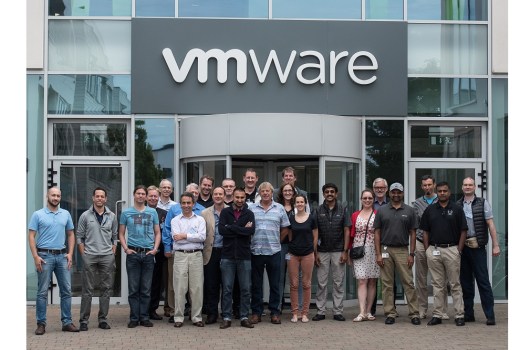
How to exit out of ed in SQL*Plus

I, from time to time, get stuck in ‘ed‘ on SQL*Plus because the editor not defined like this:

SQL> select * from duall;
select * from duall
 *
ERROR at line 1:
ORA-00942: table or view does not exist

SQL> ed
Wrote file afiedt.buf
22
^C
?
^Z
?

The Ctrl-C and Ctrl-Z, wouldn’t get you out.

The solution is simple, type ‘q‘ and press ‘Enter‘, then set editor using ‘define_editor=vi‘ and try again ๐Ÿ™‚ :

q

1* select * from duall
SQL> define_editor=vi
SQL> ed
Wrote file afiedt.buf

1* select * from dual
SQL> /

D
-
X

SQL>


If you found this blog post useful, please like as well as follow me through my various Social Media avenues available on the sidebar and/or subscribe to this oracle blog via WordPress/e-mail.

Thanks

Zed DBA (Zahid Anwar)
VMware Expert Database Workshop Program Oracle Edition – Day 3

Day 3 kicked off again with another early start at 7am, yawn ๐Ÿ™‚

Again, it was a very intense day, with lots of presentations and then ending with video interviews of each attendee:

  • Dean Bolton from VLSS, talked to us about “License Fortress from VLSS”
    • Very interesting product, where VLSS can advise you how to run your Oracle on VMware, then protect you from Oracle with the License Fortress guarantee, that has lawyers ready to defend you in case of license compliance backed by an insurance policy if required.  So the customer is never at risk when they take out the “License Fortress from VLSS”.
    • Plug for my current employer who also offer License Audit Consulting.
  • Chris Rohan from VMware, talked to us about “VMware vSphere Core & SDDC – Networking – NSX & VCNS”
  • Marcus Thordal from Brocade, talked to us about “Brocade and VMware Technology and the VMware Solutions Lab”
    • Interestingly Brocade have worked out a way to tag network packets, so you can identify which VM guest is causing network traffic
    • Also had a good example of how NVMe is causing need to higher network bandwidth
  • Simon Guyennet from VMware, talked to us about “Emerging Products” & “VMware Integrated Containers and Oracle”
    • Lot of NDA stuff, so those interested in this area, keep a look out, some interesting stuff coming soon ๐Ÿ™‚
  • Mike Adams from VMware, talked to us about “The CPBU, vSphere and Friends, and the Experts Program”
    • Key take away that was not NDA, is VMware on AWS that is currently available to select customers and will be Generally Available soon ๐Ÿ™‚
  • Somu Rajarathinam and Ron Ekins from Pure Storage gave a Technical Session
  • Feidhlim O’Leary from VMware, talked to us about “High Availability and Disaster Recovery in the SDDC”
  • Alain Geenrits from Blue Medora, talked to us about “Management & Monitoring – Blue Medora and Oracle on vSphere”
  • Daniel Hesselink from License Consulting, talked to us about “License Audit with License Consulting”
  • The duo Sudhir Balasubramanian and Mohan Potheri, talked to us about “vSphere HA or Oracle RAC, SRM or Data Guard, they are all complimentary when Oracle is run in the SDDC”
    • I enjoyed the labs from this duo, with their “good cop, bad cop” style ๐Ÿ™‚

The workshop ended with a short video interview, where we were each asked to introduce ourselves, answer a few questions about the workshop and Pure Storage.  I’m not the best at this sort of things, so I don’t think I’ll end up in the marketing video of the event, but time will tell ๐Ÿ™‚

My OCM buddy Yvonne Murphy, then gave a few of us an extended tour of the Global Support Services (GSS) whilst we waited for the shuttle back to the hotel.

Then it was a quick chauffeured ride to the airport and a short flight back home to Manchester.

Another great day that concluded the workshop, it increased my knowledge of VMware and gave me a great opportunity to network with Oracle Database Experts from around Europe ๐Ÿ™‚

Many thanks to VMware and Pure Storage for organising this workshop and allowing me to be a part of it ๐Ÿ™‚

My tweets for the day can be seen here.

The VMware Expert Database Workshop Program hashtag is #VMWORA

My related Blog Posts

VMware Expert Database Workshop Program Oracle Edition
VMware Expert Database Workshop Program Oracle Edition โ€“ Day 1
VMware Expert Database Workshop Program Oracle Edition โ€“ Day 2

Other related Blog Posts

Tim Hall (Oracle Base) – VMware Expert Database Workshop Program Oracle Edition
Tim Hall (Oracle Base) – VMware Workshop – The Journey Begins
Tim Hall (Oracle Base) – VMware Workshop – Day 1
Tim Hall (Oracle Base) – VMware Workshop – Day 2
Tim Hall (Oracle Base) – VMware Workshop – Day 3
Michael Corey (Columnist) – VMware Experts Program Oracle Edition
Michael Corey (Columnist) – Day 1 VMware Experts Program Oracle Edition
Michael Corey (Columnist) – Day 2 VMware Experts Program Oracle Edition

If you found this blog post useful, please like as well as follow me through my various Social Media avenues available on the sidebar and/or subscribe to this oracle blog via WordPress/e-mail.

Thanks

Zed DBA (Zahid Anwar)
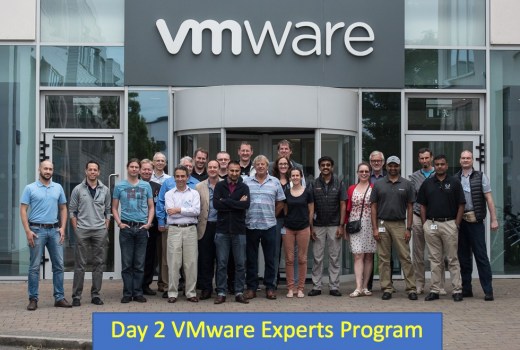
VMware Expert Database Workshop Program Oracle Edition – Day 2

Day 2 kicked off again with another early start at 7am, coupled with the late night, I was a bit tired to say the least, but was all worth it ๐Ÿ™‚

Again, it was a very intense day, with lots of presentations and technical deep dives, ending with a lab session:

  • My OCM buddy Yvonne Murphy, kicked the day off by talking to us about “The Best Oracle Support Team on Earth โ€“ Global Support Services Oracle Team”
  • Dave Welch, House of Brick, talked to us about “Oracle on vSphere Licensing”
    • Some interesting Oracle license cases of which the main one discussed is available here
  • Jad El-Zein, talked to us about “vRealizeAutomation and Oracle”
  • Andreas Scherr, talked to us about “vSphere Core Storage Fundamentals” & “Modern Converged Storage, & vSAN & vVols”
    • I was impressed with the vSAN concept of using spare drive bays in an ESXi host to put a Hard Disks or SSD Drives in and/or using spare PCIe slots to put a Flash Cards in (including NVMe ๐Ÿ™‚ )
    • Then these server attached storage devices are pooled together to provide a shared Datastore that has resilience built in using software rather then hardware ๐Ÿ™‚
    • Can be all flash or hybird but each ESXi needs a cache device i.e. SSD Drive or Flash Card
    • More info can be found here
  • Valentin Bondzio, gave us an very enjoyable deep dive on CPU usage in Virtual Environment and how to troubleshoot ๐Ÿ™‚
  • We then finished the day with a lab session with Sudhir Bala and Mohan Potheri, where we got to for example:
    • Create a Virtual Hard Drive
    • Attach an Existing Virtual Hard Drive (useful for RAC clusters ๐Ÿ™‚ )
    • Then we played a game to stress test a Pure Storage, however I could only get 2Gb a second using 10 sessions running a parallel query of 10 on the largest object in the database. ย This is not because the Pure Storage but because of I/O queue in the VMware stack, which we didn’t get time to change but highlight the point ๐Ÿ™‚

Another great day of the 3 days workshop, in which I got to gain even more new knowledge in regards to VMware, in particular CPU usage and vSAN ๐Ÿ™‚

The day ended with a meal and drinks atย The Oliver Plunkett, more socialising withย Johannes Ahrends,ย Ron Ekins,ย Frits Hoogland,ย Tim Hallย andย Mohan Potheri. ย Then a nice walk back to the hotel withย Mohan Potheri,ย Johannes Ahrendsย andย Martin Klier. ย It’s a small world as I foundย Martin Klierย and I had overlap with some customers and people ๐Ÿ™‚ ย The socialising then continued in the reception lounge withย Carl Dudley, Ron Ekins,ย Frits Hoogland and Tim Hall.

Many thanksย to VMwareย andย Pure Storage, Iโ€™m looking forward to the rest of the workshop ๐Ÿ™‚

My tweets for the day can be seen here.

The VMware Expert Database Workshop Program hashtag is #VMWORA

My related Blog Posts

VMware Expert Database Workshop Program Oracle Edition
VMware Expert Database Workshop Program Oracle Edition โ€“ Day 1

Other related Blog Posts

Tim Hall (Oracle Base) –ย VMware Expert Database Workshop Program Oracle Edition
Tim Hall (Oracle Base) –ย VMware Workshop – The Journey Begins
Tim Hall (Oracle Base) –ย VMware Workshop – Day 1
Tim Hall (Oracle Base) –ย VMware Workshop – Day 2
Michael Corey (Columnist) – VMware Experts Program Oracle Edition
Michael Corey (Columnist) – Day 1 VMware Experts Program Oracle Edition
Michael Corey (Columnist) – Day 2 VMware Experts Program Oracle Edition

If you found this blog post useful, please like as well as follow me through my various Social Media avenues available on the sidebar and/or subscribe to this oracle blog via WordPress/e-mail.

Thanks

Zed DBA (Zahid Anwar)

VMware Expert Database Workshop Program Oracle Edition – Day 1

The journey began with a 9pm flight from Manchester to Cork, I was then picked up by a chauffeur in an S Class Mercedes along with Jan-Peterย courtesy of VMware ๐Ÿ™‚

We arrived at the poshย The Kingsleyย Hotel at 11:00pm, whereย Carl Dudley, Ron Ekins,ย Frits Hoogland and Tim Hallย were still in the reception lounge having discussions about Cloud, Storage amongst other topics. ย Soย Jan-Peterย and myself joined in until midnight.

The next morning was an early start with a 7am private shuttle ride to VMware Campus inย Ballincollig.

It was a very intense day, with lots of presentations, technical deep dives and labs:

  • Mike Corey recapped ‘The Basics of vSphere’
  • Karen Egan VP Support, gave an overview of Global Support Center (GSC) EMEA
  • Then a few presentations from the sponsor Pure Storage regarding their Flash offerings from Carl McQuillan,ย Somu Rajarathinamย and Alejandro Infanzon ๐Ÿ™‚
  • Valentin Bondzio gave a deep dive ofย VMware vSphere Core in particular vMotion, which really impressed me ๐Ÿ™‚
  • My OCM buddy Yvonne Murphy, talked about Oracle on VMware “One Woman’s Journey”, which was about her true experience of real life customer problems working withinย Global Support Center EMEA. ย It was reassuring to know VMware has 1,000 support engineers in GSC EMEA in Cork alone and most Support Requests are resolved in 24-58 hours. ย We then got the privilege of having a tour of the GSCย ๐Ÿ™‚
  • We then finished the day with labs session with Sudhir Bala and Mohan Potheri, where we got to for example:
    • Create a Template from a VM guest
    • Create a VM guest from a Template
    • Move a VM guest whilst powered on from one physical host to another using vMotion
    • Increase CPUs and Memory of a VM guest on the fly
    • And more…

It was a great 1st day of a 3 days workshop, in which I got to gain new knowledge in regards to VMware, which I can see help in particular circumstances and requirements ๐Ÿ™‚

The day ended with a meal and drinks atย SoHo Rooftop Bar & Restaurant, where I got the opportunity to catch up with my OCM buddyย Yvonne Murphy, network with new people including:ย Dean Bolton fromย VLSS,ย Valentin Bondzio and Don Sullivan, both from VMware.

It was then the short journey back to the hotel, where I caught up with Tim Hall. ย It was then a gather in theย hotel reception where conversations continued until late ๐Ÿ™‚

Many thanksย to VMwareย andย Pure Storage, Iโ€™m looking forward to the rest of the workshop ๐Ÿ™‚

My tweets for the day can be seen here.

The VMware Expert Database Workshop Program hashtag is #VMWORA

My related Blog Posts

VMware Expert Database Workshop Program Oracle Edition

Other related Blog Posts

Tim Hall (Oracle Base) –ย VMware Expert Database Workshop Program Oracle Edition
Tim Hall (Oracle Base) –ย VMware Workshop – The Journey Begins
Tim Hall (Oracle Base) –ย VMware Workshop – Day 1
Michael Corey (Columnist) – VMware Experts Program Oracle Edition
Michael Corey (Columnist) – Day 1 VMware Experts Program Oracle Edition

If you found this blog post useful, please like as well as follow me through my various Social Media avenues available on the sidebar and/or subscribe to this oracle blog via WordPress/e-mail.

Thanks

Zed DBA (Zahid Anwar)